
Softball lineups that write themselves.
GameCard handles inning-by-inning fielding rotations and batting orders for youth softball, so you spend game week actually preparing to coach, not spreadsheet-building.
The same tools that work for baseball, built for softball.
Fielding Rotation, Handled
Batting Orders Built In
Printable Game Card
See it in action.

Fair fielding rotation, every game.
Set up your roster once with each player's positions and rankings. GameCard generates the full fielding rotation for each game: who plays where, every inning.
Fair doesn't mean random. Your best players still anchor key positions. But the algorithm ensures every player on the team cycles through positions. No kid stuck in right field all year.
Coach from the dugout, not the clipboard.
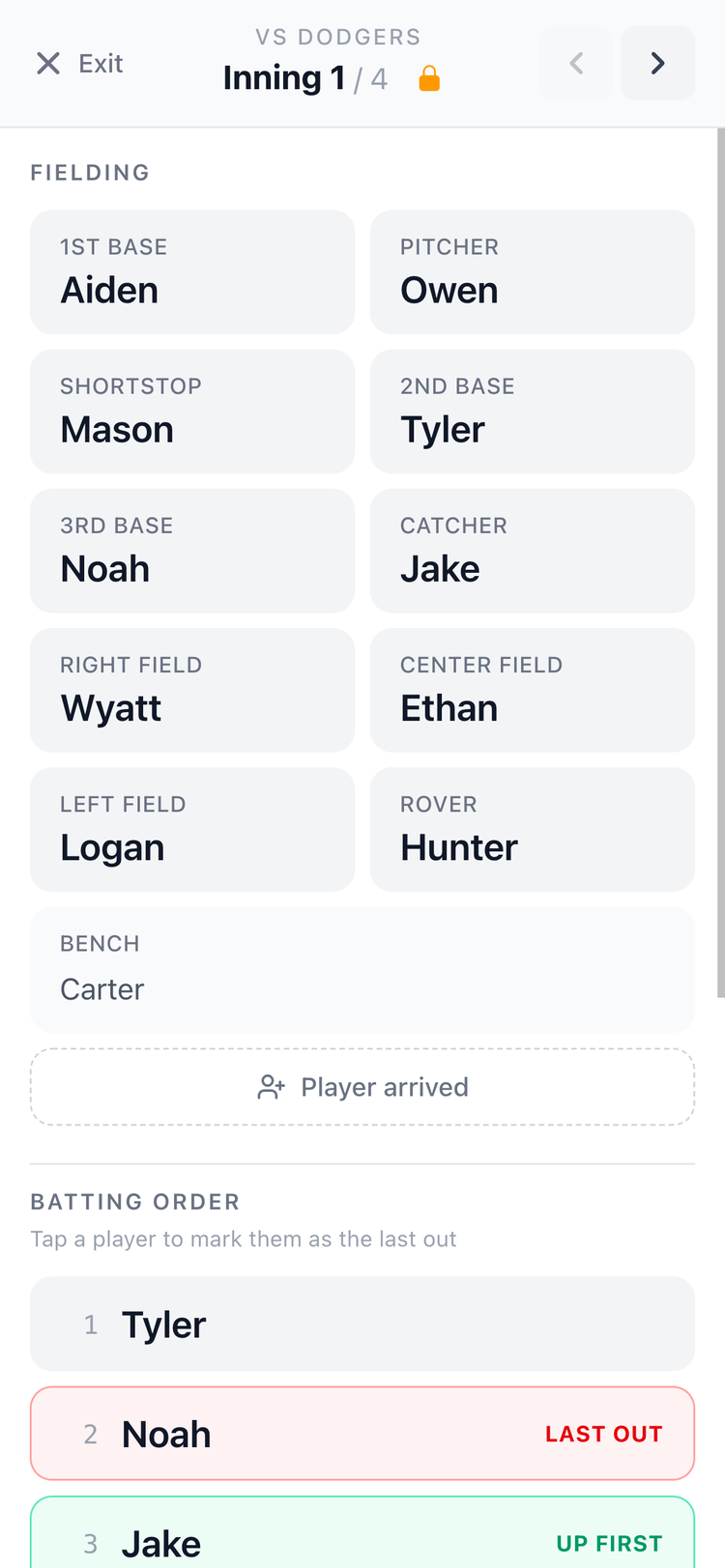
Tap Live on any game to open In-Game Mode, a full-screen view built for the dugout. Big text, high contrast, no distractions. See who's where this inning, navigate forward with arrows, track the batting order, and always know who's up next. Your phone becomes your lineup card. No printed sheet that gets rained on. No clipboard you set down somewhere and lost.
Stop answering game-day texts.
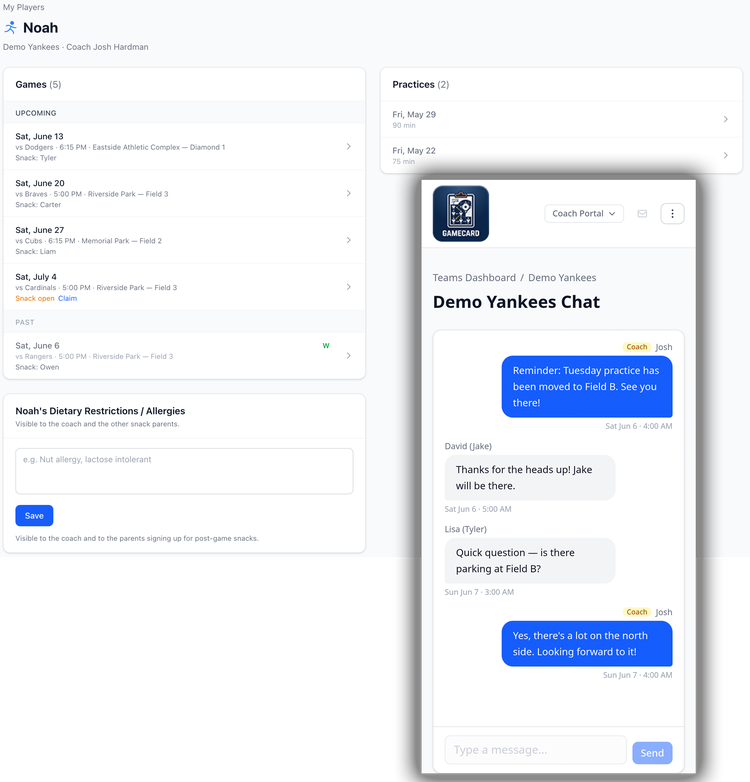
Parents get their own view of the schedule and a built-in real-time team chat where they can ask questions and get updates without texting you. Automatic reminders go out the morning of every game and practice. Add a parent's email to their player's profile once and they're set for the season.
When something changes, post it in the chat and every parent sees it instantly. No more "what time is the game?" at 8am Saturday.
15 minutes to set up. Under a minute per game after that.
1. Build your roster
Add players with their fielding positions, pitching eligibility, hitting rank, and parent email. That's all GameCard needs to run lineups and send parent reminders all season.
Budget about 15 minutes for a full team. Then you're done for the season.
2. Schedule your games
Add players with their fielding positions, pitching eligibility, hitting rank, and parent email. That's all GameCard needs to run lineups and send parent reminders all season.
Budget about 15 minutes for a full team. Then you're done for the season.
3. Get your lineup
Mark attendance before each game. The fielding rotation and batting order are generated automatically and update around who's actually there. The batting order can be manually reordered if you want to override it. The whole thing takes under a minute.
4. Print your game card
Open In-Game Mode in the dugout. Navigate innings, track the batting order, and always know who's on deck. Or print the game card and hand it to your scorekeeper. Both options are built in.
Softball questions (get it?!).

Get your lineup ready in seconds.
GameCard builds your fielding rotation and batting order automatically, fair, balanced, and done before you get to the field. Free to start, no credit card required.