
Stop wrestling with lineups.
You've got a job, a family, and a team counting on you. GameCard builds the rotation, generates the batting order, and prints the game card, so you can show up ready to coach, not ready to calculate.
Everything handled. Nothing to calculate.
Lineup in Seconds
Smart Batting Orders
Show Up With a Card, Not a Clipboard
See it in action.

Fair playing time, every inning.
The complete rotation grid: who plays where, inning by inning. The algorithm knows who's played shortstop twice already and makes sure someone else gets the next turn.
But fair doesn't mean random. Your best players still anchor the spots where they give your team a chance to win. Every kid gets their turn, and you stay competitive.
Set it once. Coach all season.
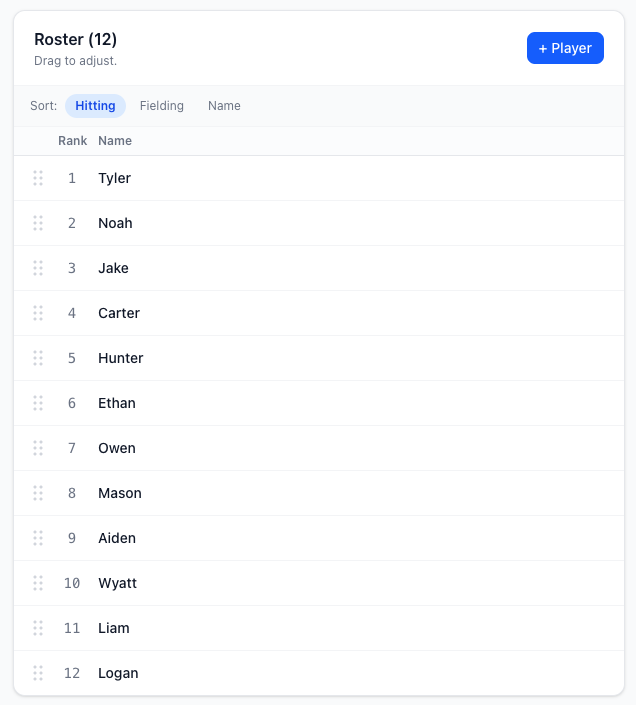
Add your players once. Set their positions and rankings. GameCard handles every game from there, inning by inning, all season long. You never have to think about who played what last week.
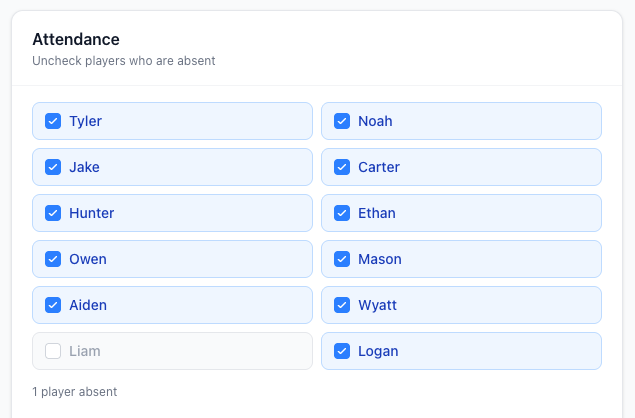
When a player is absent, just uncheck them. The rotation rebuilds instantly. No manual adjustments, no starting over.
Coach from the dugout or the field.
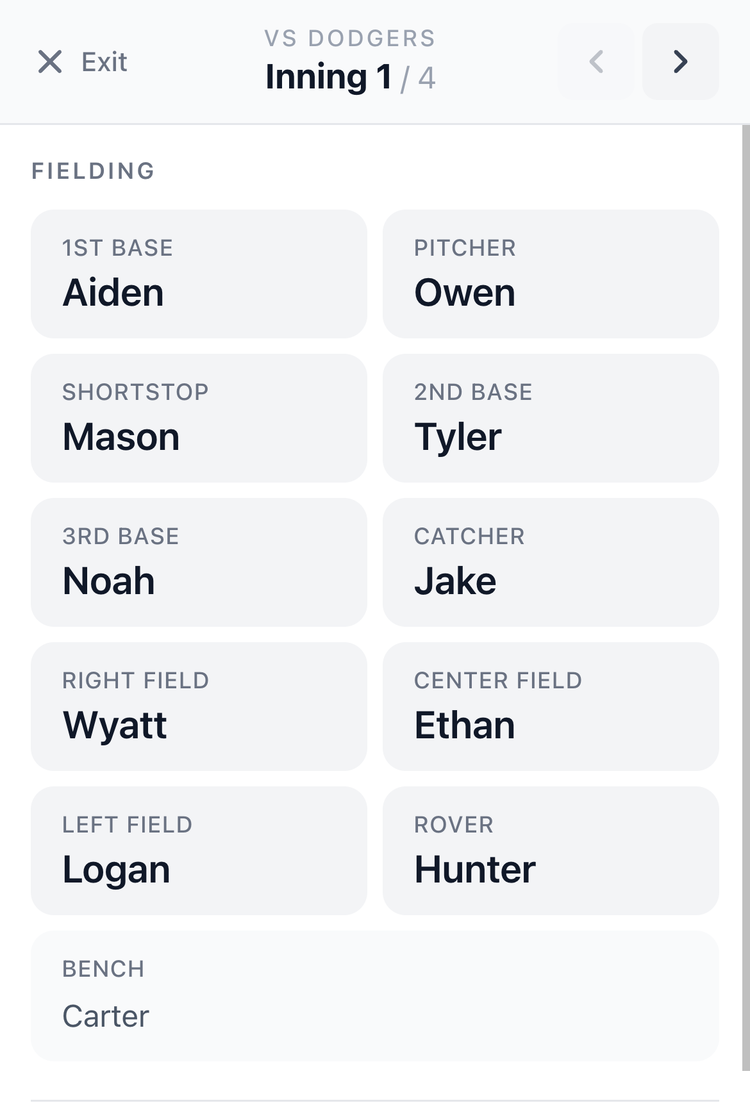
Tap Live on any game to open In-Game Mode, full-screen, built for the dugout. Big text, clear background, no distractions.
See who plays where each inning, navigate with arrows, and always have the batting order visible below. Your phone becomes your lineup card.
Always know who bats next.
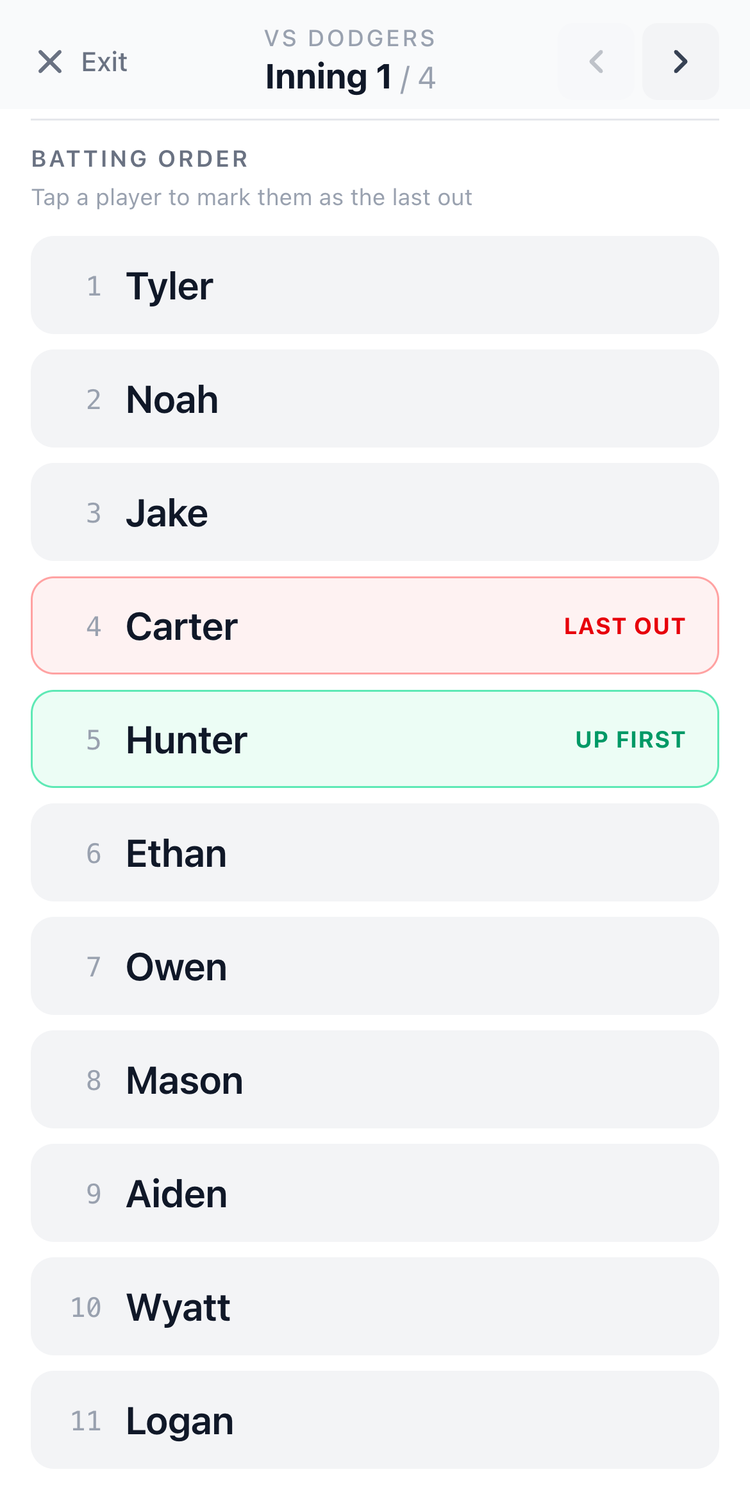
Tap any player in the batting order to mark them as the Last Out. The next batter is automatically highlighted as Up First.
Tap again to undo. No pencil. No scorebook. No trying to remember where you left off after a pitching change.
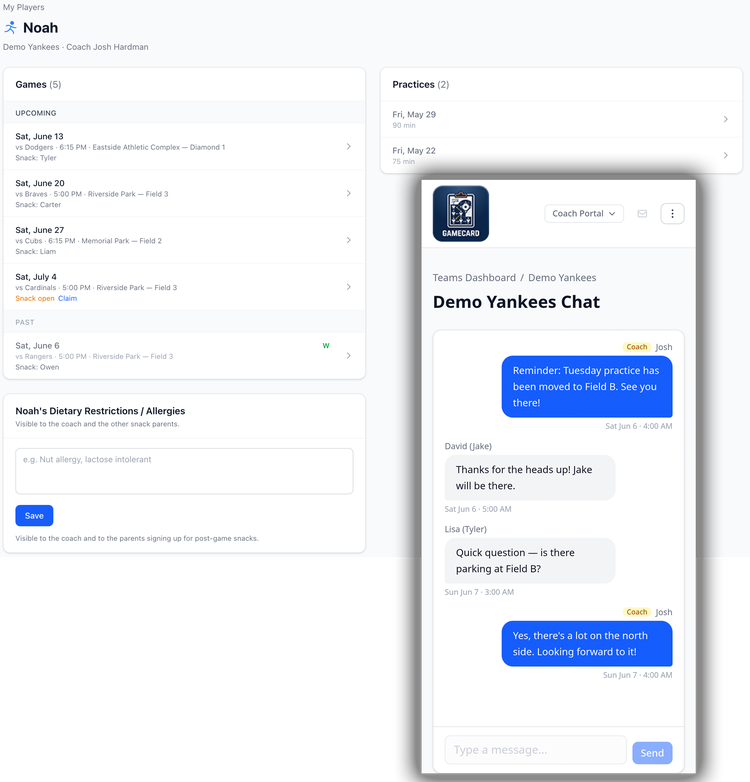
Stop answering "what time is the game?"
Parents get their own simple view: upcoming games, the lineup, practice schedule, snack sign-ups, and a real-time team chat. One invite link from your team page. They're set for the season.
Parents also get an automatic reminder the morning of every game and practice, so they show up without you having to send a thing. When they have a question, it goes in the team chat instead of your text messages. No more group texts on your personal phone. No login headaches.
15 minutes to set up. Under a minute per game after that.
1. Build your roster
Add your players, assign their positions, and set hitting and fielding rank order. Takes about 15 minutes for a full team. Then you're set for the whole season.
You only do this once. GameCard carries your roster all season. Use it every game from there.
2. Schedule your games
Add each game with the date, number of innings, and which players are attending. Import your whole season from a calendar link so you don't have to enter games one by one.
When a player can't make it, uncheck them from the game. The rotation rebuilds around who's there in seconds.
3. Get your lineup
GameCard instantly generates the fielding rotation and batting order. No math. No spreadsheet. Drag to adjust anything you want, or use it exactly as generated.
The whole thing takes under a minute. You get back to the rest of your day.
4. Print your game card
Print a clean, one-page game card for the dugout: fielding grid and batting order, ready to hand to the scorekeeper before first pitch.
Or skip the print and use In-Game Mode on your phone. Either way, you show up prepared.

Get your prep time back.
Most coaches spend 30–45 minutes building a fair lineup before each game. With GameCard, it takes less than a minute, and the result is more consistent than anything built by hand. Free to start, no credit card required.