
You volunteered to coach. Not to do math.
GameCard is the complete operating system for volunteer youth sports coaches: lineups, schedules, practice planning, and parent communication, all in one place. Set it up in 15 minutes. Use it all season in under a minute per game.
Lineup Generator
Fair, automatic lineups for every game: inning-by-inning for baseball and softball, rotation-by-rotation for soccer. The algorithm balances player rankings and built-in fairness rules to generate the best rotation every game.
Team Management
Roster, attendance, assistant coaches, and season schedule in one place. Add your team once at the start of the season and GameCard runs it from there.
Practice Planner
Schedule practices alongside games. Automatic parent reminders go out for both. Track attendance without a clipboard. Everything your team needs in one calendar.
Parent Communication
Add a parent's email to their player's profile and they're set: automatic game-day reminders, schedule access, snack sign-ups, and real-time team chat. Stop answering the same questions every week.


The rotation you would have built, done in seconds.
GameCard generates a complete rotation grid: who plays where, every segment of every game. No spreadsheets, no clipboard math, no guessing. It respects your rankings and uses built-in fairness rules to spread playing time fairly.
Fair doesn't mean random. Your player rankings are built into every rotation, so your strongest players still get the spots where they make your team better. Drag to adjust anything; you stay in control.
Coach from the field, not the clipboard.
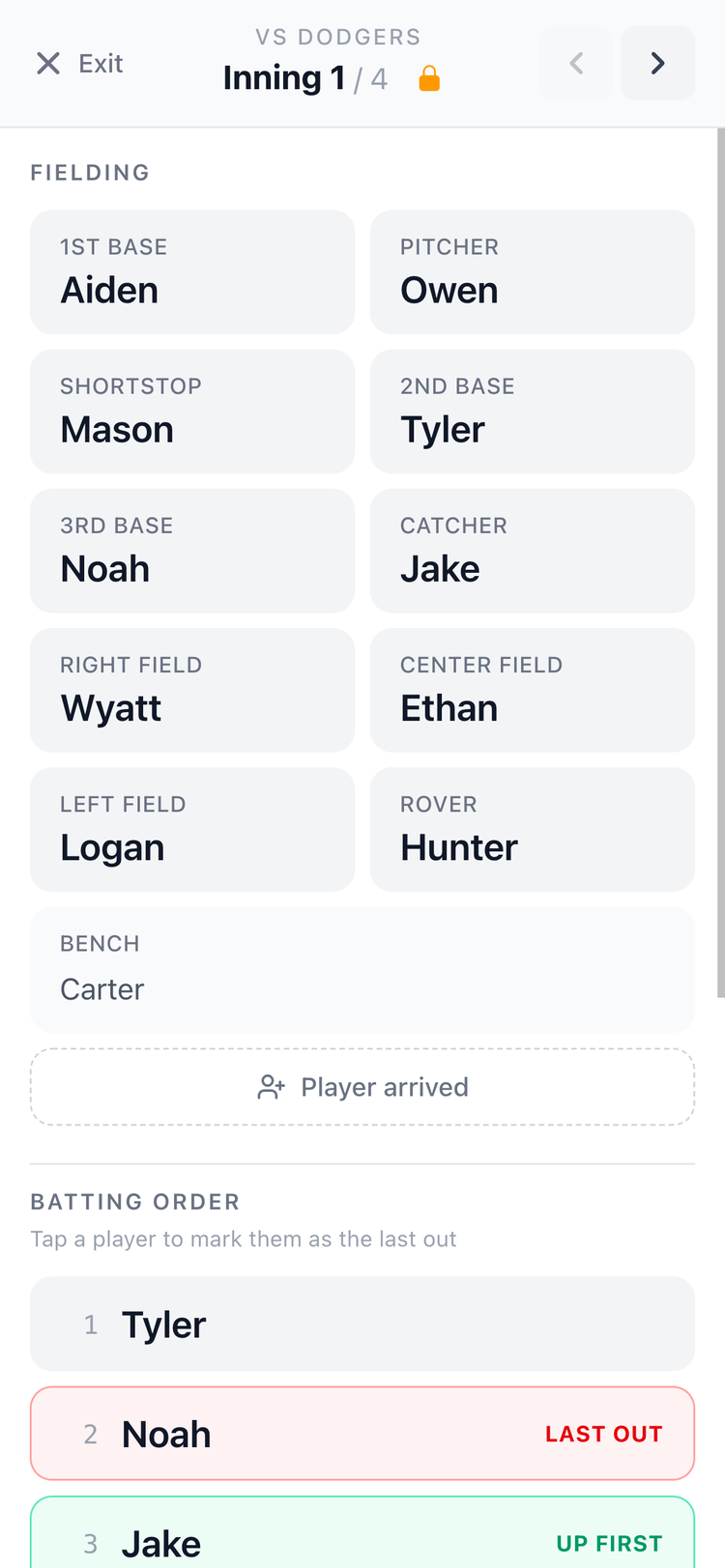
Tap Live on any game to open the full-screen sideline view. Big text. Clear layout. Built for the dugout or touchline.
See who plays where each rotation, navigate with arrows, and always know who's up next. Your phone becomes your lineup card.
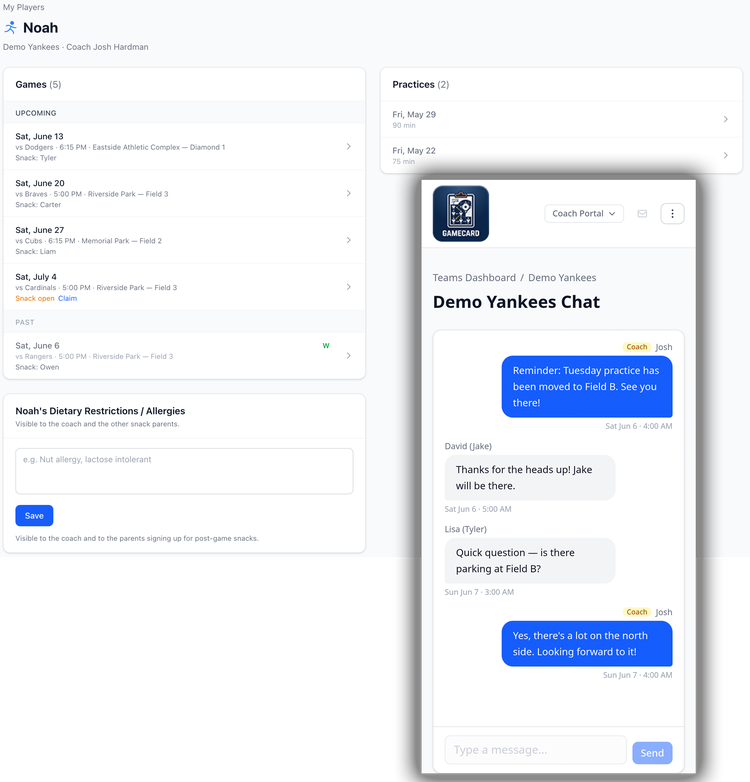
Parents stay in the loop, automatically.
Add a parent's email to their player's profile and they get their own view: the full schedule, snack sign-ups, team chat, and a calendar that rolls up every game and practice across all their kids, baseball, soccer, whatever they're in.
Team chat is a dedicated real-time communication channel just for your team. Live updates and push notifications keep everyone updated instantly.
No group texts. No "what time is the game?" calls on Saturday morning. They have everything they need; lineup details and coach notes stay private to you.
Built by a volunteer coach. For volunteer coaches.
GameCard was created by a volunteer coach who got tired of spending his Saturday mornings building lineups instead of with his family. The whole app is designed around the reality of volunteer coaching: limited time, high expectations, and no training in youth sports logistics.
Every decision in the app, from the 15-minute setup to the under-a-minute game prep, is made to fit inside the schedule of someone who has a real job and a real family and still showed up to coach.

Built for your sport.

Baseball
Inning-by-inning fielding rotations, batting orders, In-Game Mode, and printable game cards. Everything a youth baseball coach needs, handled automatically.

Soccer
Automatic position rotation with goalkeeper fairness built in. Works for every format, 5v5 through 11v11.

Softball
The same powerful lineup and rotation tools as baseball, including batting orders, fielding rotations, and In-Game Mode, adapted for softball.
15 minutes to set up. Under a minute per game after that.
1. Build your roster
Add your players, assign positions, and set your preferences. Takes about 10 minutes for a full team. For soccer, pick your game format (5v5, 7v7, 9v9, or 11v11) and the right positions are set up automatically.
You only do this once. GameCard carries your roster all season. You never have to start over.
2. Schedule games and practices
Add games and practices manually or import your whole season from a calendar link. Set the date, format, and which players are attending. Parents can see everything the moment you add it.
3. Get your lineup
GameCard instantly generates the full rotation. No math. No spreadsheet. Every player in the right spot, every game. Drag to adjust anything, or just use it as-is and get back to the rest of your day.
4. Coach from your phone
Open the in-game view from the dugout or sideline. Every position, every rotation, right there on your screen. Big text, clear layout, no distractions. Your phone is your lineup card.
Common questions.

Get your weekends back.
Most coaches spend 3–4 hours a week on team logistics. With GameCard, it's under 10 minutes. Free to start, no credit card required. Available for baseball, softball, and soccer.