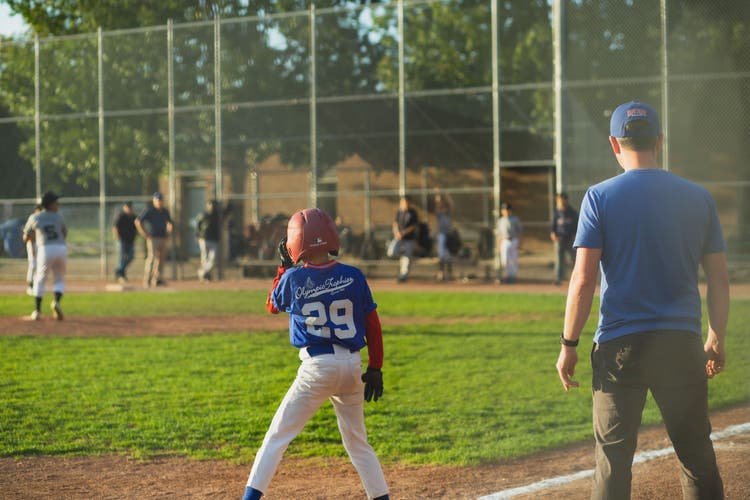
Youth baseball action photo

Little League coaching, simplified.

Little League coaches deal with more logistics than almost any other youth sport, including mandatory play rules, large rosters, parent expectations, and paperwork. GameCard handles the part that eats your time: building lineups, tracking playing time, and keeping parents informed.

Get Started Free

What makes Little League different, and why it's harder to manage.

Mandatory Play Rules

Little League has minimum play requirements. Every player needs a certain number of defensive outs per game, and batting rules vary by division. Tracking this by hand across 12–15 players is genuinely hard. GameCard generates lineups that keep every player getting their fair share without you having to manually verify compliance.

Large Rosters, Complex Rotations

Little League rosters often run 12–15 kids. Building a fair infield/outfield rotation for 14 players across six innings is not something you can reliably do in your head. GameCard does it in seconds and tracks the whole season, not just the current game.

High-Engagement Parents

Little League parents are invested. They notice who plays shortstop and who's in right field. They track at-bat counts. GameCard gives you a lineup you can defend, and lets parents see it for themselves so you don't have to explain it after every game.
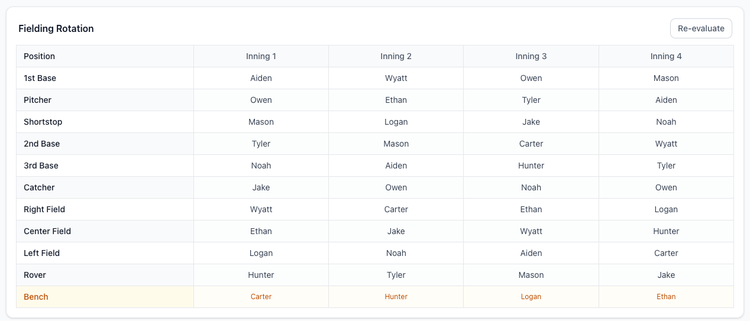
Screenshot: Coach game page showing the full rotation grid — every player, every inning, fair position distribution visible across the whole game

Fair rotations for every player, every game.

GameCard generates a complete inning-by-inning fielding rotation for your entire roster. The algorithm uses built-in fairness rules and your player rankings, so every player cycles through positions fairly.

Your best fielders still anchor the key positions when it matters. But every kid gets their fair share of infield time, outfield time, and at-bats. You can show any parent exactly how the rotation was built.

Batting orders with continuity.

GameCard uses your hitting ratings and a fairness algorithm to build batting orders that rotate players through the lineup over the course of the season, so every player gets a chance to hit at every spot.

Use In-Game Mode to track the batting order live during the game. Tap to mark the last out, and the next batter highlights automatically.
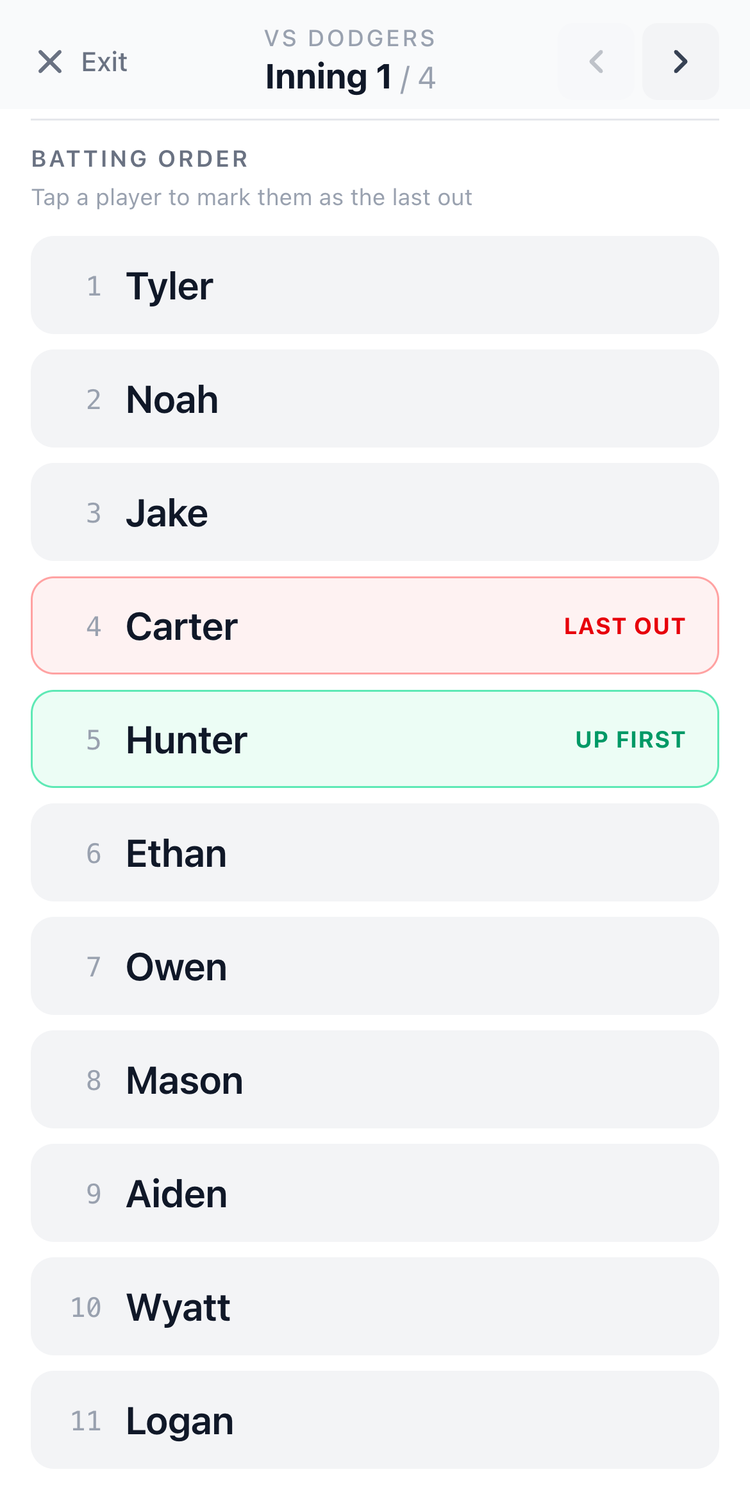
Screenshot: In-Game Mode showing batting order with current batter highlighted
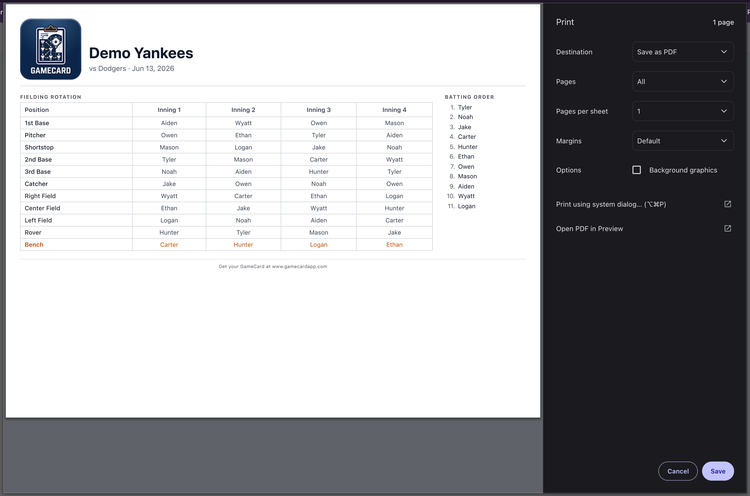
Screenshot: Print dialog showing the formatted game card, fielding rotation grid and batting order on a single printable page

Printable game card for the scorekeeper.

GameCard generates a clean, one-page game card: fielding rotation grid and batting order on a single sheet. Print it before you leave the house and hand it to your scorekeeper before first pitch.

Or go paperless and use In-Game Mode on your phone from the dugout. Either works. Both are built in.

Parents who are informed aren't parents who are angry.

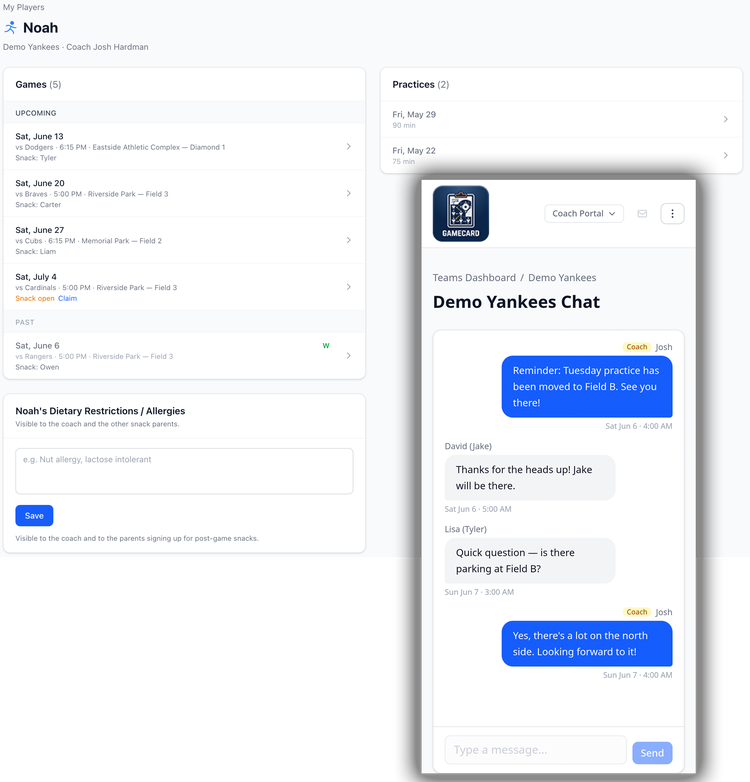
Add a parent's email to their player's profile at the start of the season. They get automatic reminders before every game and practice, they can see the full schedule, and they can sign up for snack duty without texting you. You can also send team-wide messages from your team page any time something changes.

Fewer questions, fewer group chat threads, fewer 7am texts. Parents have what they need.

Screenshot: Parent player view showing schedule and dietary information
I used to spend 45 minutes before every game figuring out who played what last week. With GameCard, it takes 30 seconds and it's more fair than anything I could build by hand.
Coach Dan, 9U Baseball, Naperville IL

Little League coach questions.

Does GameCard enforce mandatory play rules?
GameCard generates fair rotations that give every player time at every position, but it doesn't specifically enforce division-specific minimum play rules (which vary by division and local league). You as coach are responsible for confirming your lineup meets your division's requirements. The fair rotation GameCard generates will get you close. You can then adjust from there.
Can it handle rosters of 14 or 15 players?
Yes. GameCard handles rosters up to 15 players comfortably. The algorithm ensures fair distribution of infield, outfield, and prime positions across all players regardless of roster size.
What divisions does it work for?
GameCard works for any division with a set roster, defined positions, and inning-by-inning play, which covers the vast majority of Little League divisions from Minor League up through Majors. Tee-ball (where batting order and fielding rules are often relaxed) may benefit less from the rotation features, but tee-ball coaches still get full access to the team management and parent communication tools, which are just as valuable at that level.
Can parents see the lineup?
Lineup details and fielding rotations are visible to coaches only. Parents see the schedule and game logistics, not the lineup. As head coach, you can see every game's rotation and walk any parent through how the lineup was built if they have questions about their player's playing time.
Does this work for bench rotation in soccer?
Yes, for now. Create your team, build your roster, and generate lineups at no cost. No credit card required. This won't be free forever, so jump on it while you can.

Set up your season in 15 minutes.

Build your roster, add your schedule, and generate your first lineup, all in one sitting. Free to start, no credit card required. Works for baseball and softball.

Get Started Free

← More about GameCard for Baseball