
Keep everyone in the loop, instantly.
GameCard connects coaches and parents with a real-time team chat, automatic game-day reminders, and a schedule every parent can always check. Questions get answered once in the chat and the whole team sees it. No group texts. No forwarded emails.
Less coordination. Same informed parents.
Automatic Game Reminders
Simple Setup, One Player at a Time
Real-Time Team Chat
Reminders that go out automatically.
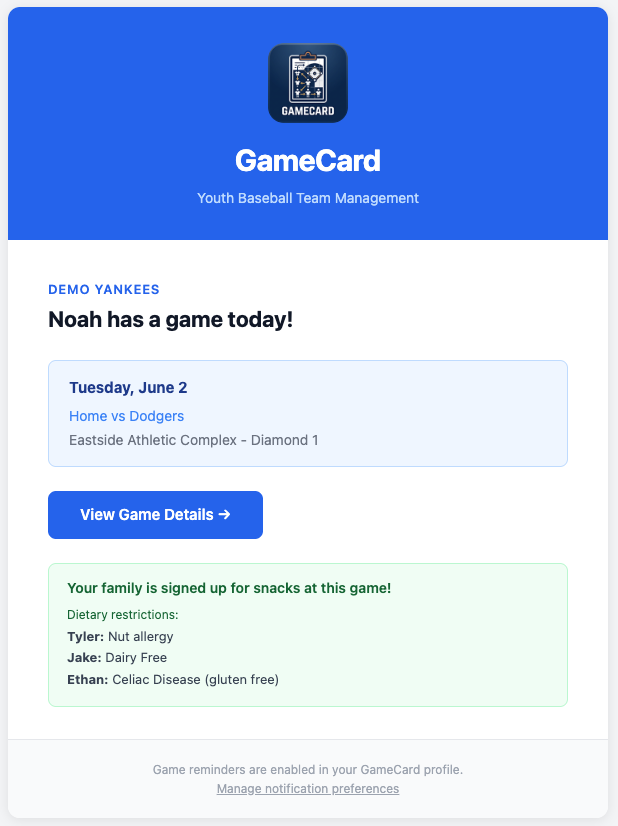
Every parent on your team gets a reminder email the morning of each game and practice on the schedule. The email shows the event time, the location with a map link, and any other details specific to that game.
If a parent is signed up for snacks, their reminder includes that too, so they're never caught off guard at the field.
You don't schedule or send these reminders. GameCard sends them automatically for every event on the season schedule. Once it's set up, you're done.
What parents actually see.
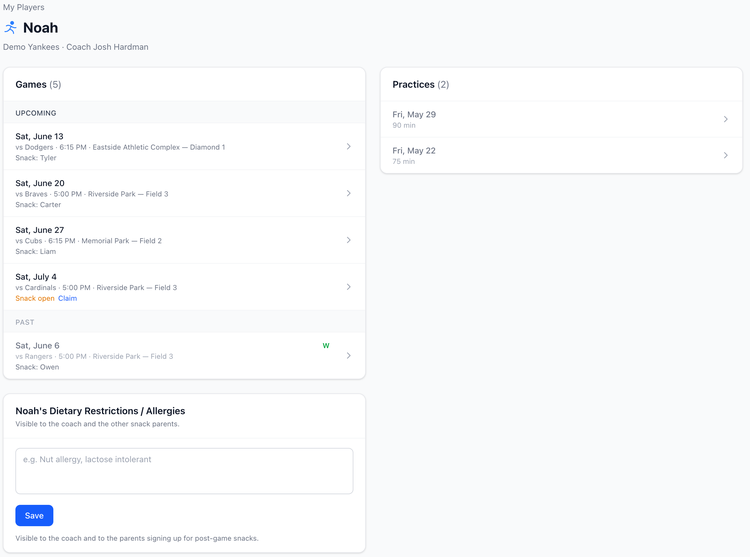
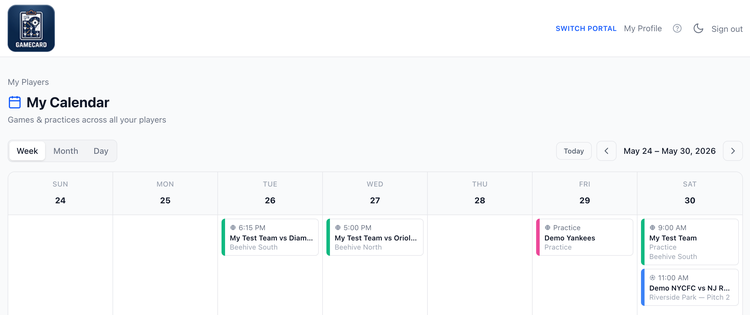
Parents sign in to their own simple view (no app to download, just a browser link). They see the full season schedule, upcoming games and practices, snack sign-ups, team chat, and a combined calendar across all their kids. Everything relevant to their player, nothing that's coach-only: skill rankings, lineup details, and coach notes stay private.
A parent with kids on two different teams sees both schedules in one calendar view. No switching accounts, no checking two places.
No more snack coordinator chaos.
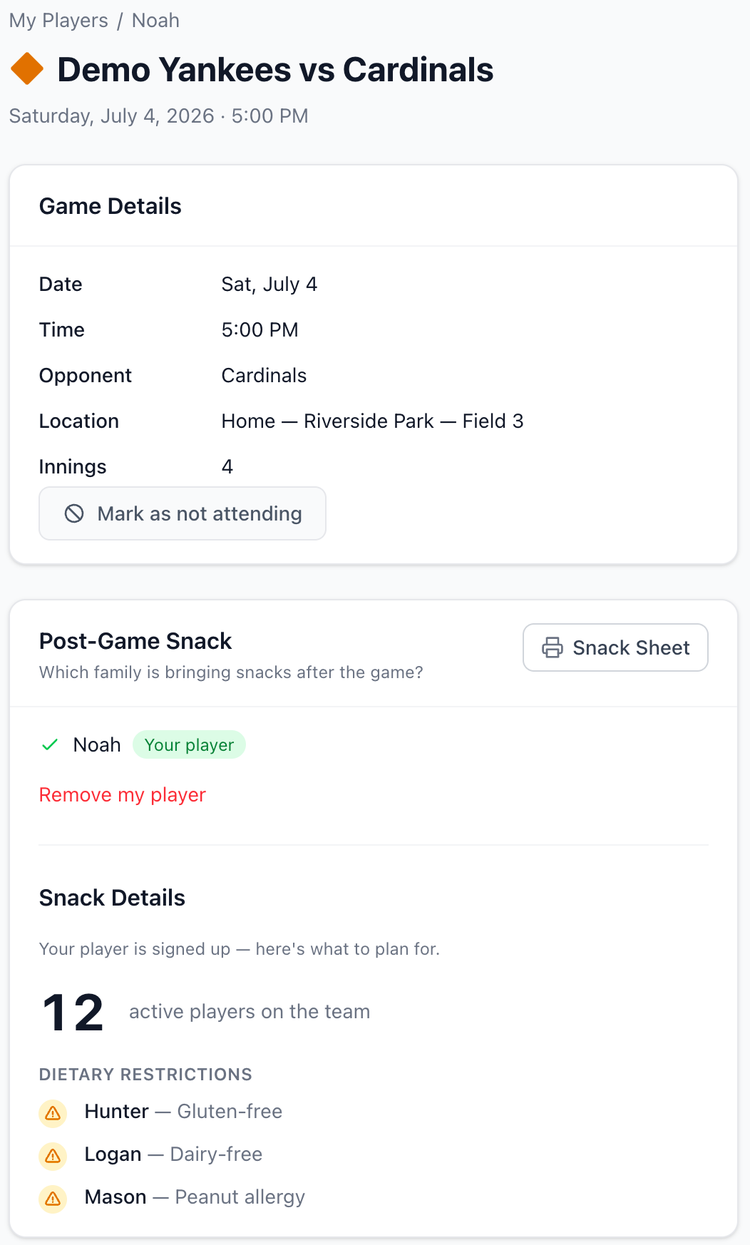
Parents volunteer for snack duty directly from the game page: one tap, done. GameCard confirms their sign-up and sends them a reminder with their assigned game included.
Dietary restrictions are handled too. Parents add any allergies or restrictions once to their player's profile. When a parent volunteers for snacks, they can see the full list of restrictions for every player on the team, so they know exactly what to bring and what to avoid.
No email threads. No Google Form. No coordinator chasing down volunteers.
Real-time chat with your entire team.
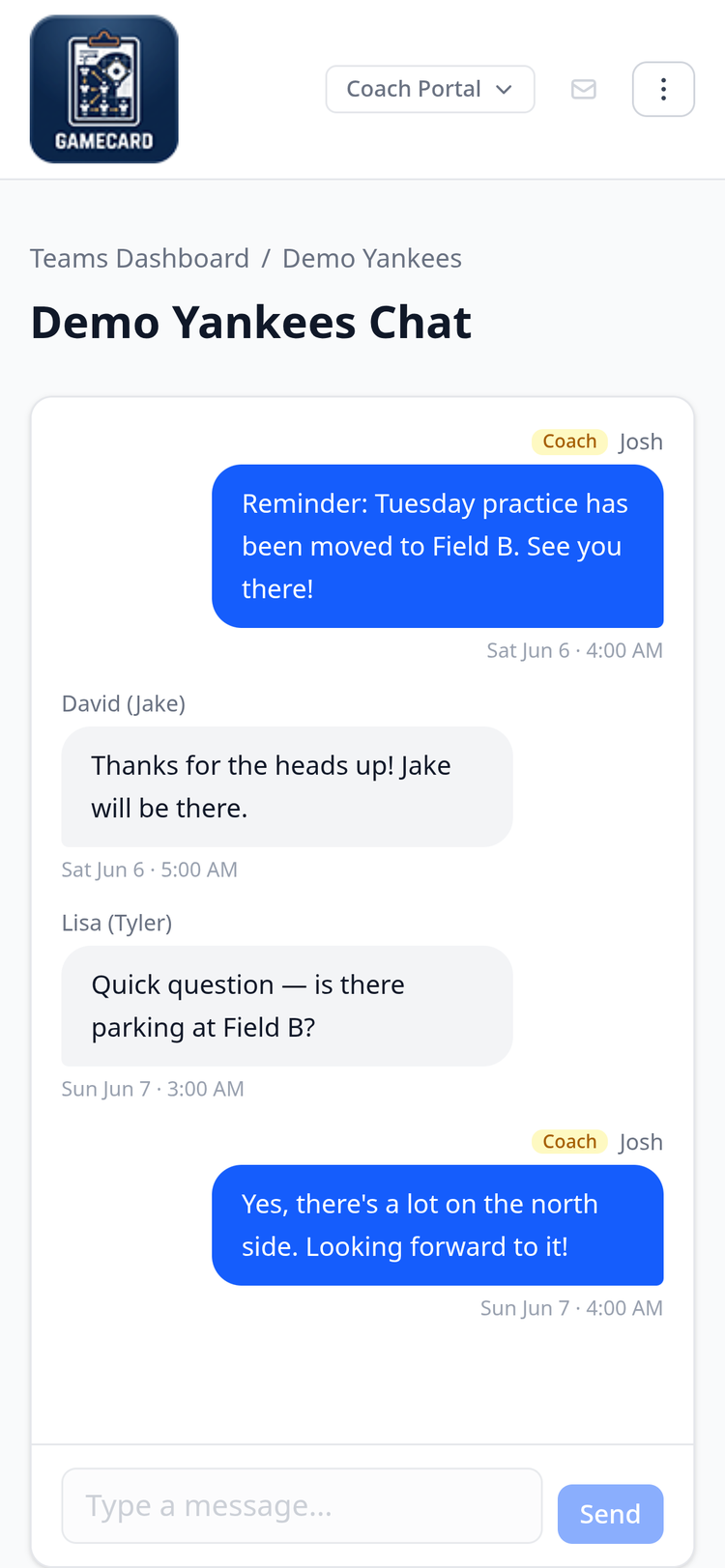
GameCard includes a built-in team chat shared between every parent and coach on the roster. It works like a group chat but lives inside the app, so there is no separate app to install and no group thread to manage on your personal phone.
Open the chat from your team page, type your message, and send. Every parent and coach sees it instantly, no refresh required. Parents can reply in the same thread and their messages are visible to everyone on the team. If a parent asks where the field is, you answer once and the whole team sees it. No more fielding the same question from five different people.
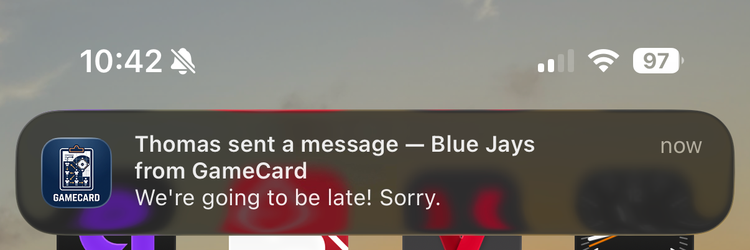
Install GameCard on your phone as an app to get native push notifications when a parent sends a message, even when your screen is locked.
Works in any browser, installs like a native app.
GameCard works in any browser on any device: phone, tablet, or computer. Nothing to install. Parents access it through the link in their welcome email with a one-click Google sign-in or a magic link. Once they're in, GameCard remembers them on their device.
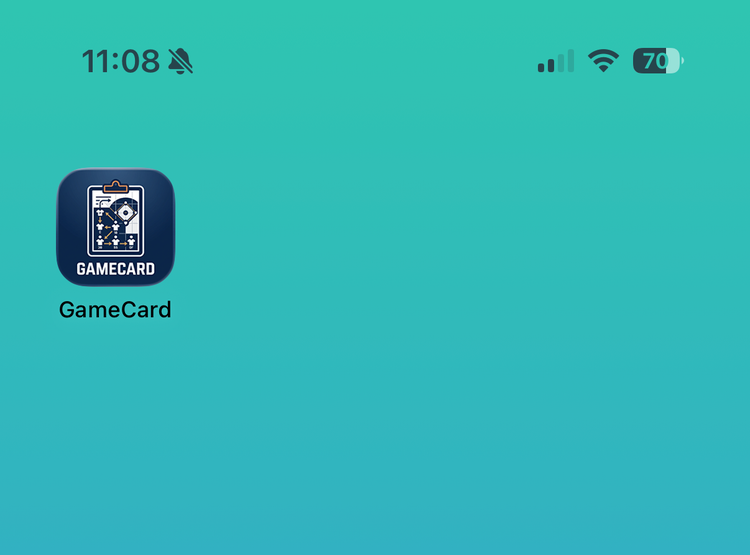
For coaches and parents who want push notifications for the team chat, GameCard can be installed on your phone directly from the browser as a Progressive Web App. There is nothing to download from an app store. On iPhone, open GameCard in Safari and tap Share, then Add to Home Screen. On Android, open it in Chrome and tap Add to Home Screen or Install App. Once installed, open your team chat and tap Enable notifications. After that, any message in the team chat sends a native notification to your phone even when the app is closed.
Your coach handles setting up GameCard for the team. Once they add your email to your player's profile, you'll get a welcome email with your access link. You don't need to sign up or do anything in advance.
Create a free account, set up your team, and add parent emails to your player profiles. Parents get a welcome email automatically. No extra steps needed from you.
Communication questions.

Fewer questions. More coaching.
Set up GameCard once at the start of the season and parents have everything they need: automatic reminders, schedule access, snack sign-ups, and real-time team chat. Free to start, no credit card required.