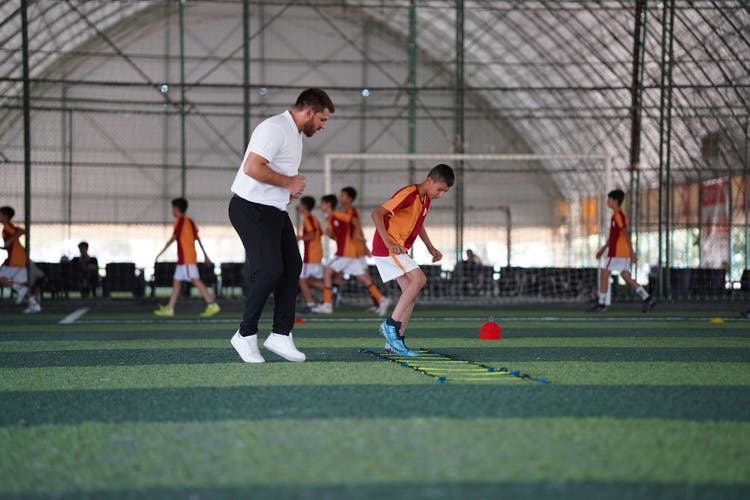
Coach running soccer drills at practice.

Practice plans done. Parents notified. Time reclaimed.

Most coaches plan practices in their head or in a Google Doc nobody else can see. GameCard gives you a better way: schedule practices, track attendance, and automatically remind parents, all in the same place you manage games.

Get Started Free

What makes Little League different, and why it's harder to manage.

Schedule in One Place

Add practices to GameCard alongside your games, using the same schedule tool. Parents see practices in their calendar view alongside games, so everything the family needs is in one place. No "wait, is there practice Tuesday or Wednesday?" texts.

Automatic Practice Reminders

GameCard sends every parent a reminder the morning of each practice, same as it does for games. The reminder shows the time, location, and what field or gym to go to. You never have to nudge anyone to show up. They just get the reminder and they come.

Drill Planning Built In

Each practice in GameCard has its own drill list. Add each drill by name and include any notes: instructions, equipment needed, timing. It's a lightweight practice plan that lives alongside your schedule, not in a separate Google Doc nobody else can see.

Attendance Tracking

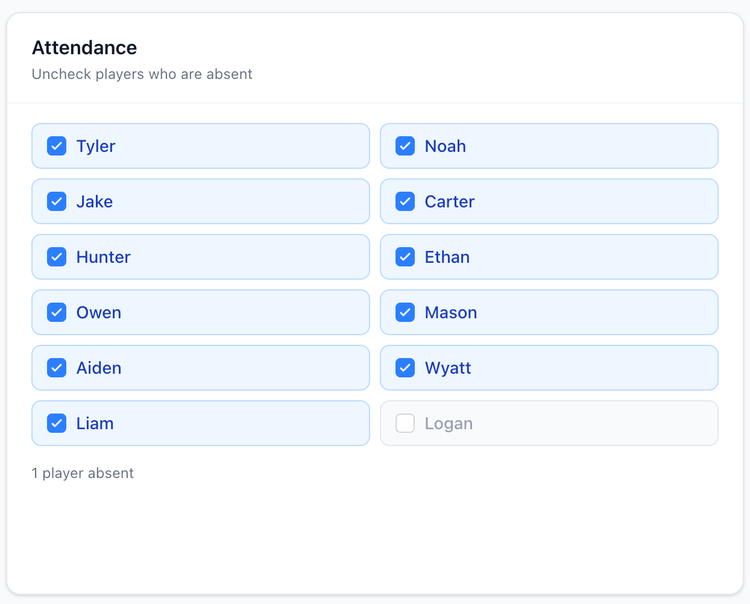
Mark absences directly on the practice page: who didn't show up. GameCard keeps the record across the season. At a glance, you know who has and hasn't been coming consistently, without having to dig through any notes.

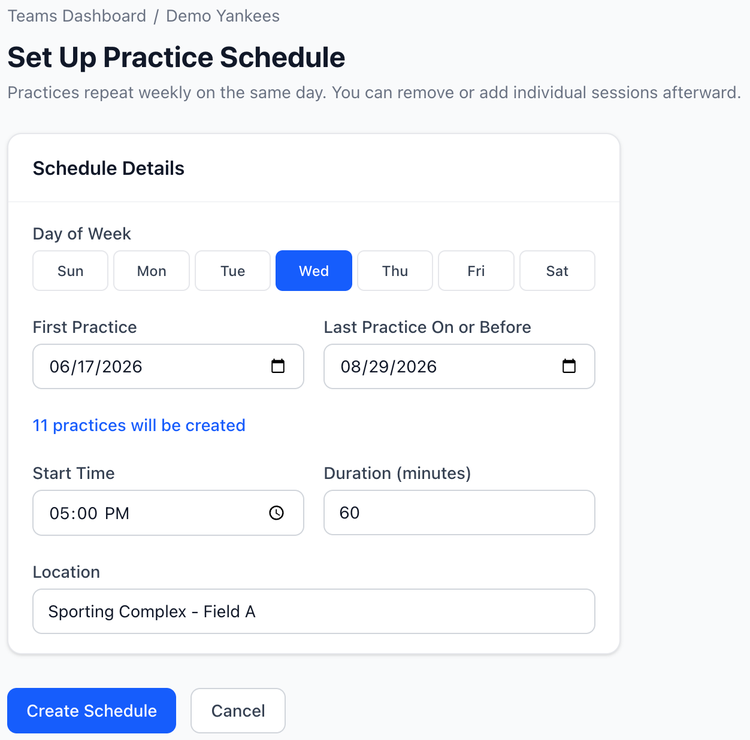
Screenshot: Coach practice scheduler screen

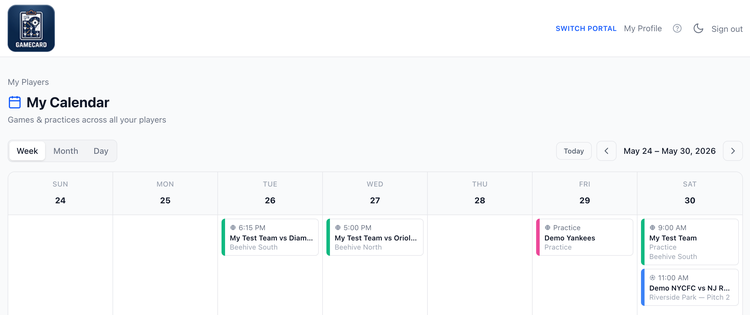
Screenshot: Parent calendar of events.

Set up recurring practices in seconds.

If your team practices every Tuesday and Thursday for 12 weeks, add it once as a recurring event and all 24 practices appear on the schedule automatically. Parents see all of them in their calendar view. You get reminders going out for all of them without any additional work.

Need to cancel a single session? Remove just that one without affecting the rest of the recurring schedule.

Plan your drills inside the practice session.

Each practice in GameCard has its own drill list. Add drills one by one. Name each one and include any notes you need: instructions, equipment, timing, whatever helps you run it. The plan lives inside GameCard alongside the schedule, not in a Google Doc you'll have to dig up later.

It's a lightweight structure that's enough to keep a practice organized without becoming a whole project. Add as few or as many drills as you actually use.
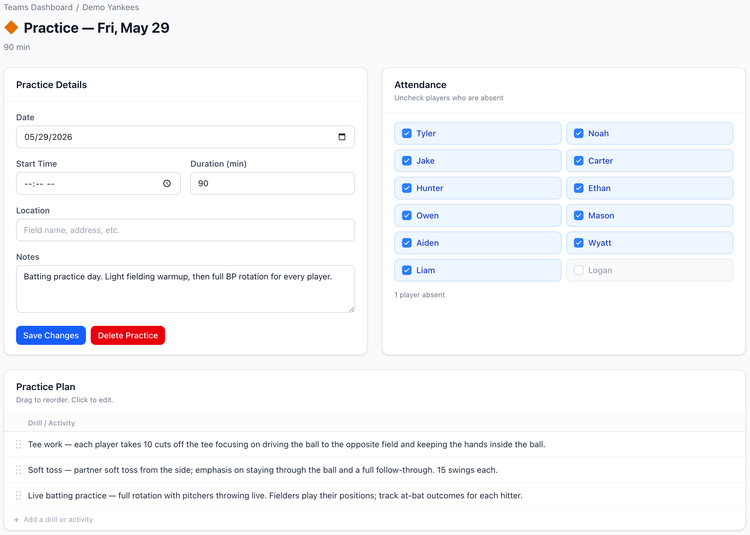
Screenshot: Full practice details page with drill instructions
Screenshot: Practice attendance box.

Track absences without a clipboard.

After practice, mark which players didn't show up directly on the practice page. GameCard keeps the record across the season. At a glance, you know who has and hasn't been coming consistently, without having to search through notes or texts.

Parents see practices and games in one calendar.

When parents sign in to GameCard, they see every game and every practice in one calendar view. They can plan their week knowing everything the team has scheduled, not just games, but practices too.

For families with kids on multiple teams, GameCard rolls all games and practices from every team into one combined calendar view. One place, everything they need.

More about parent communication in GameCard →

Google Docs: Only You See It
A practice plan in Google Docs is invisible to parents unless you share it manually every time. Nobody gets reminders. No attendance tracking. It's a private note, not a communication tool.
Group Chat: Noisy and Lossy
Posting practice times in the team group chat means the message gets buried. Someone always misses it. You end up sending it again, then answering questions about it individually. The overhead compounds every week.
GameCard: Set Once, Works All Season
Add practices at the start of the season. Parents can see all of them immediately. Reminders go out automatically. Attendance is tracked. You get to focus on planning what to actually do at practice, not coordinating whether people will show up.
A parent texted me just to say thank you. She could finally see the whole schedule in one place and grab a snack slot without the group chat chaos.
Coach Lisa, 7v7 Soccer U10, Austin TX

Little League coach questions.

Can I add practices and games to the same schedule?
Yes. GameCard treats practices and games as different event types, but they all live in the same season schedule. Parents see both in their calendar. Reminders go out for both automatically.
Can I set up recurring weekly practices?
Yes. Set up a practice as recurring and all sessions appear on the schedule automatically. You can cancel individual sessions without affecting the rest of the recurring series.
Do parents get practice reminders the same as game reminders?
Yes. GameCard sends automatic reminder emails the morning of every game and every practice on the schedule. Parents show up without you having to remind anyone.
Can I track attendance at practice?
Yes. On each practice page, mark which players were absent. GameCard keeps the record across the whole season. You always know who's been consistently making it to practice and who hasn't.
Youth baseball coach watching players practice drills on the field

One place for everything your team needs.

Practices, games, lineups, parent reminders, all in GameCard. Free to start, no credit card required. Available for baseball, softball, and soccer.

Get Started Free