
The team management app built for volunteer coaches.
Roster, schedule, lineup, and parent communication, all in one place. GameCard handles the logistics of running a youth sports team so you can spend your time actually coaching.
Everything a youth team needs, handled.
Roster Management
Automatic Lineups
Season Schedule
Parent Communication
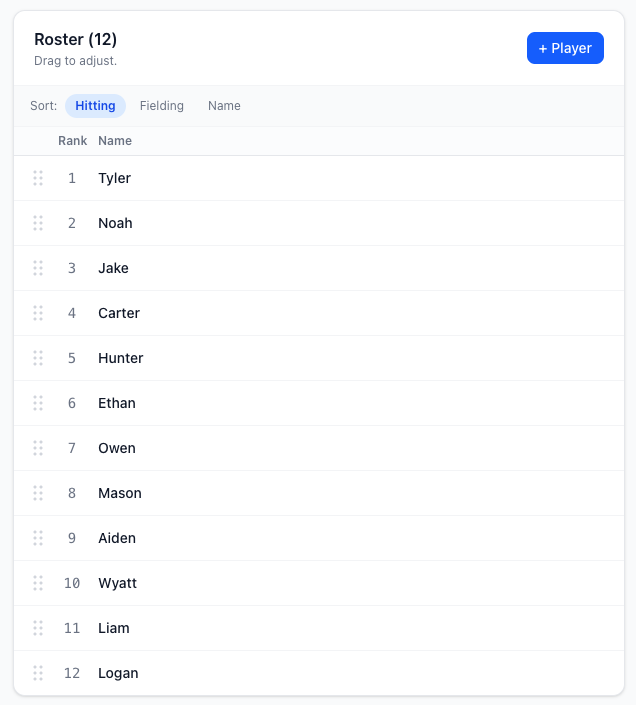
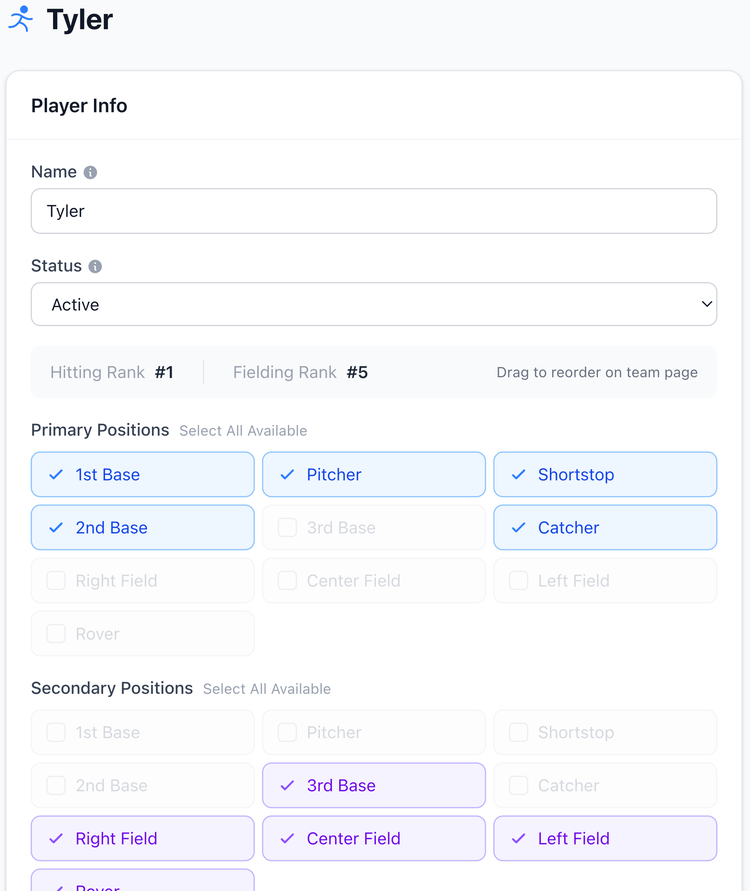
Set up your roster once. Use it all season.
Add players with their positions, parent contact information, and any relevant preferences, like a soccer player who doesn't want to play goalkeeper. That's it. GameCard uses this information for every lineup, every reminder, and every parent view for the rest of the season.
When someone moves, quits, or joins mid-season, update the roster in seconds. No spreadsheets to sync, no other tool to update.
Attendance tracking without the clipboard.
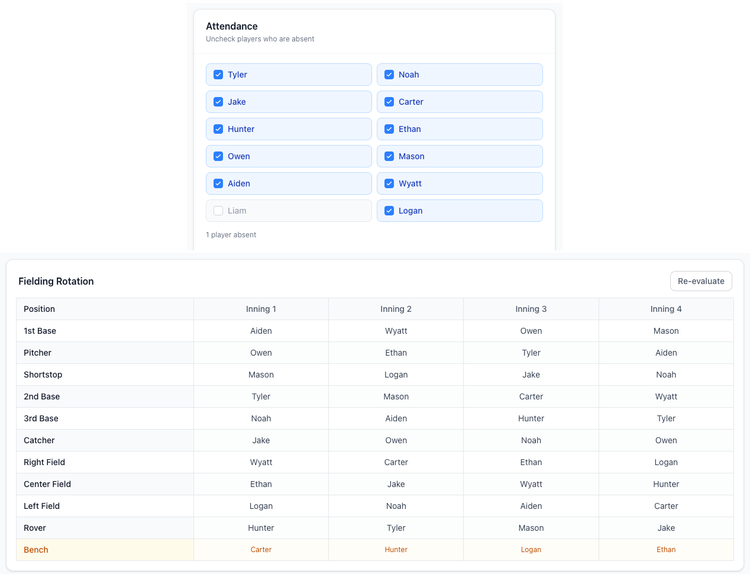
Before each game, check off who's coming. GameCard automatically rebuilds the lineup around who's available, with no manual adjustment needed. The rotation stays fair for the players who show up.
If a player shows up unexpectedly or has to leave early, add or remove them in seconds. GameCard regenerates the remaining rotations on the spot.
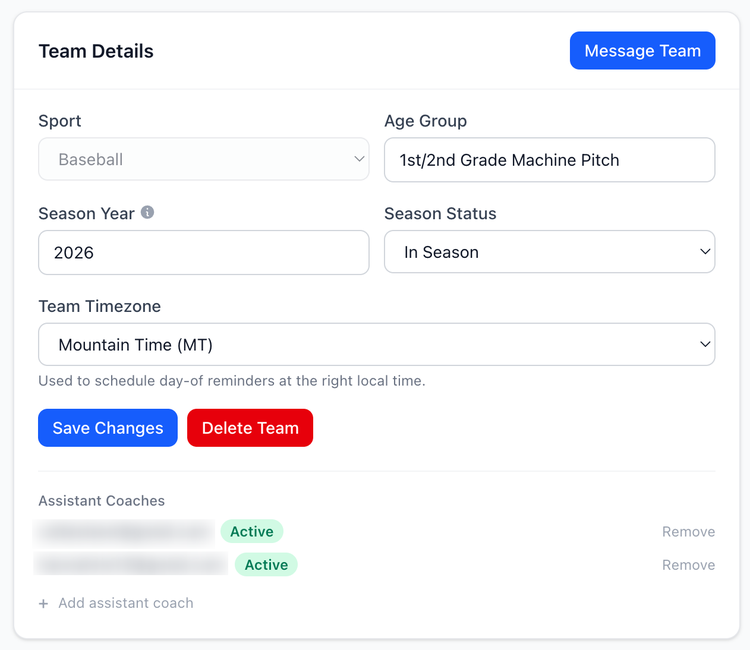
Share the load with assistant coaches.
Add an assistant coach from your Team Details page. Enter their email and they can view and manage the team from their own account. They see the roster, the lineup, and the schedule. The one thing only the head coach controls is Algorithm Settings and adding or removing players.
No more texting a photo of the lineup to your assistant at 7am. The app is the single source of truth for the whole staff, on any device.
Set up in 15 minutes. Runs itself after that.
1. Create your team
Pick your sport (baseball or soccer), name your team, and choose your game format. For soccer, that means picking 5v5, 7v7, 9v9, or 11v11. GameCard sets up the right positions automatically.
This takes about 2 minutes.
2. Build your roster
Add players one by one or in bulk. For each player, set their positions, rankings, and parent email. That's all GameCard needs to run lineups and send parent reminders for the whole season.
Budget about 10 minutes for a full team of 12–14 players.
3. Add your schedule
Import your season schedule from a calendar link in one step, or add games and practices one at a time. Either way, everything shows up in both the coach view and the parent view automatically.
4. Run your season
Before each game, check off who's coming and generate the lineup. Takes under a minute. Parents get their reminders automatically. You coach. GameCard handles the rest.
Inning-by-inning fielding rotations, batting orders, In-Game Mode, and printable game cards. Everything a baseball coach needs.
The same powerful lineup and rotation tools, adapted for softball. Batting orders, fielding rotations, and fair playing time, handled.
Position rotation with goalkeeper fairness built in. Works for every format, 5v5 through 11v11.
Questions about team management

Get your team organized in 15 minutes.
Create your team, build your roster, add your schedule. Then let GameCard handle the rest. Free to start, no credit card required. Available for baseball, softball, and soccer.