
Run every league. Help every coach.
GameCard gives organization administrators the tools to set up every league, team, player, and parent in seconds, keeping everything in sync all season long. Your coaches get the same great tools they already love, with the consistency and oversight your organization needs.
What managing a league looks like without the right tools.
Setup Takes Weeks Instead of Minutes
No Way to Ensure Fairness Across the League
Communication Goes in Too Many Directions
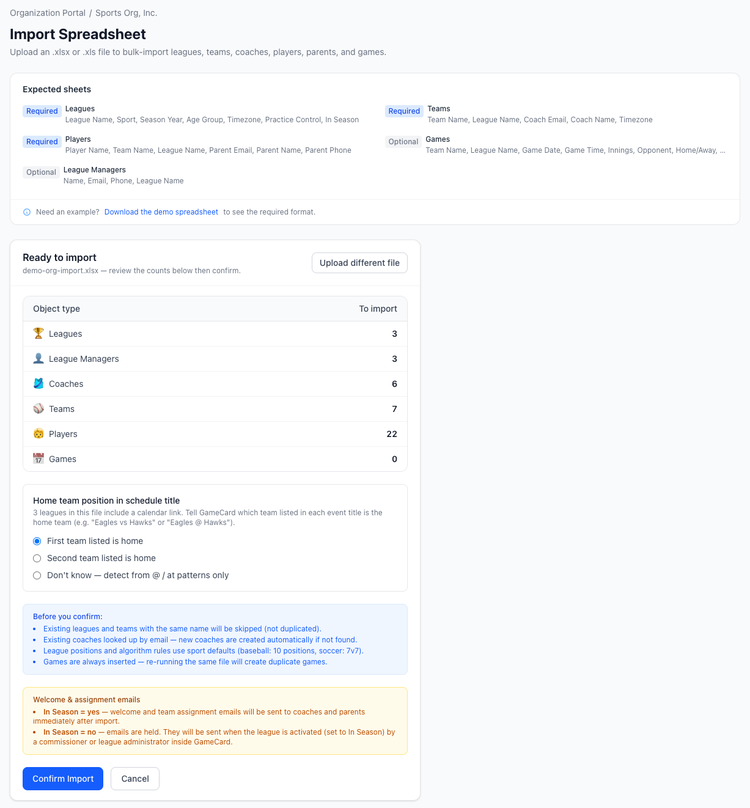
Every league, team, player, and parent.
Upload your organization's data once and GameCard creates everything automatically. Leagues, teams, rosters, player profiles, and parent accounts are all built from a single import. No manual entry. No follow-up emails asking coaches to sign up.
When a new season starts or a mid-season change comes through, re-import and GameCard updates everything that changed without touching what stayed the same.
Games stay current. Automatically.
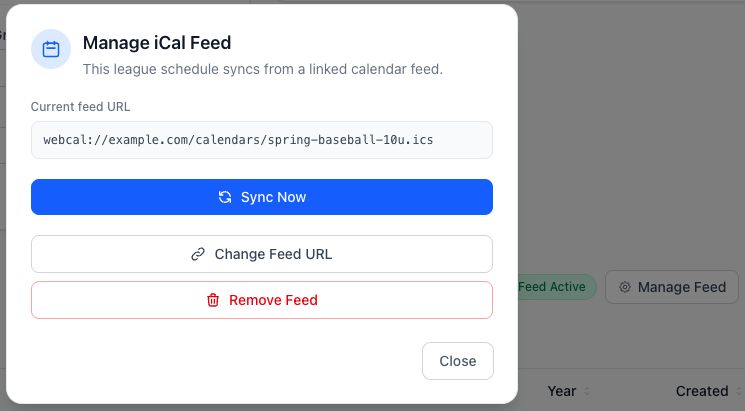
Connect your league schedule feed and GameCard keeps every game up to date all season long. When a game is rescheduled, moved to a different field, or canceled, it updates in the app and every affected coach and parent sees it right away.
GameCard reads your iCal feed continuously and knows which teams are playing, whether each team is home or visiting, who the opponent is, and where the game is. Coaches never have to enter a game manually.
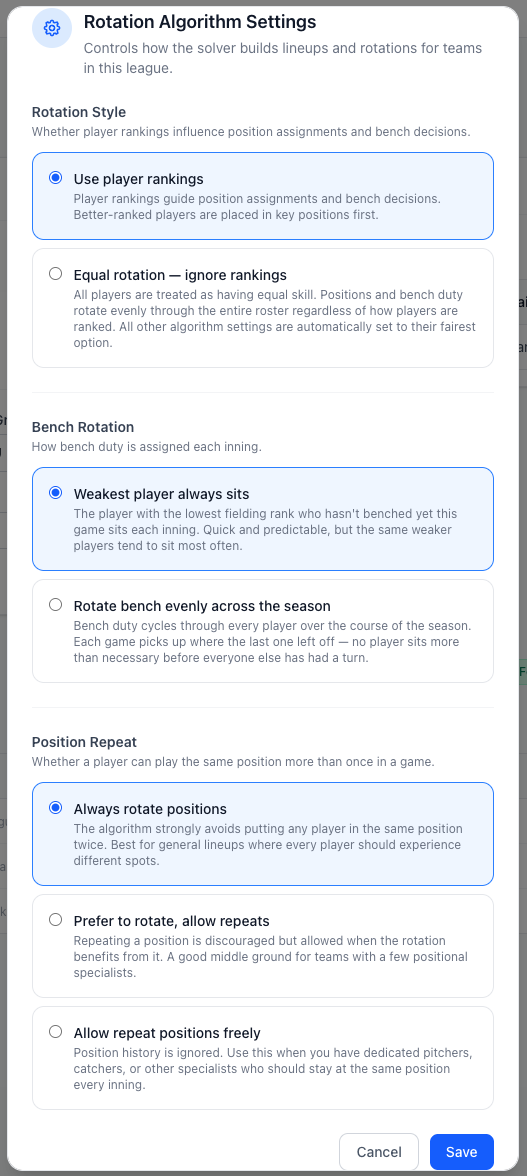
Set the standard. Every team plays by it.
Define your organization's fairness rules once and GameCard applies them to every team in every league. Bench rotation limits, position repeat rules, player ranking uses: you set the policy and the lineup algorithm enforces it automatically, every game, for every coach.
Coaches can still make game-day adjustments, but they cannot override the rules your organization has set. Parents know their kids are being treated fairly across the board, not just on the teams with the most experienced coaches.
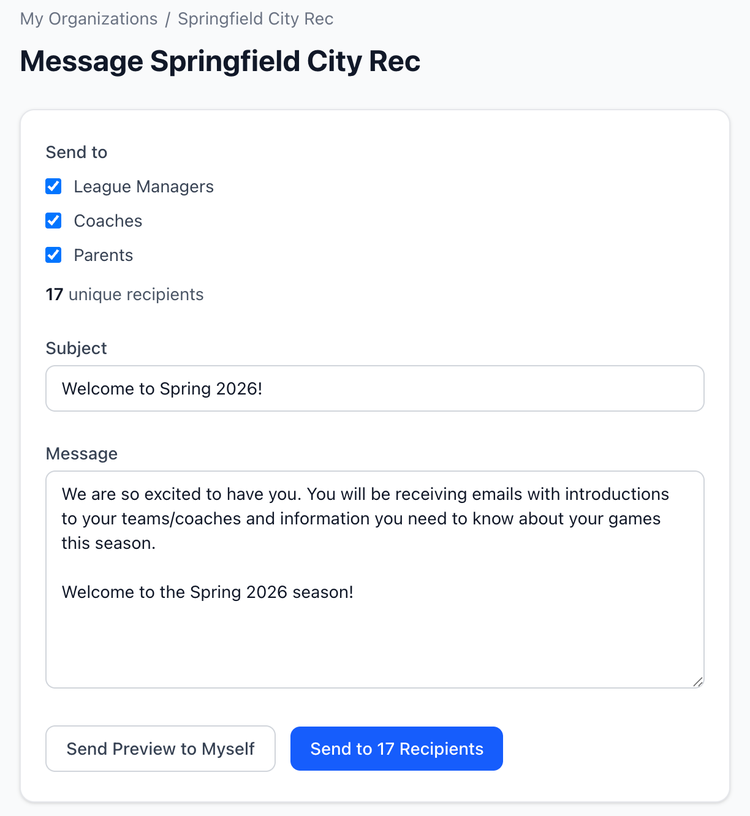
One message. Every coach, every parent, or both.
Send organization-wide or league-wide announcements from a single screen. Reach all coaches, all parents, or everyone at once. Field closures, tryout reminders, registration deadlines, rule changes: whatever the update is, it gets to the right people without you tracking down contact lists.
Messages go out over email, so they reach people on any device without anyone needing to download a new app.
Coaches keep the details that matter.
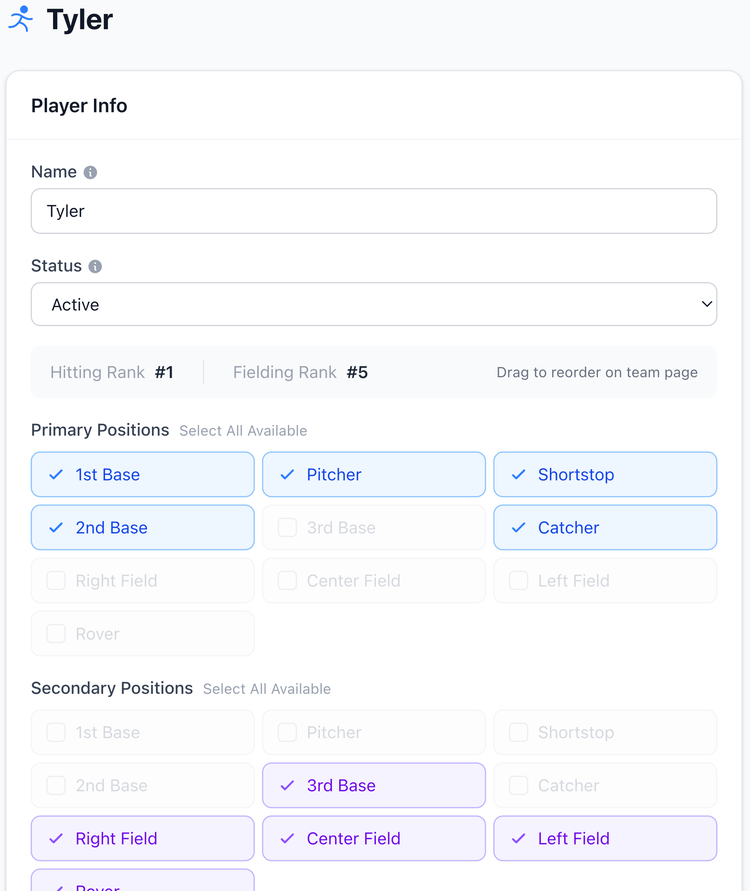
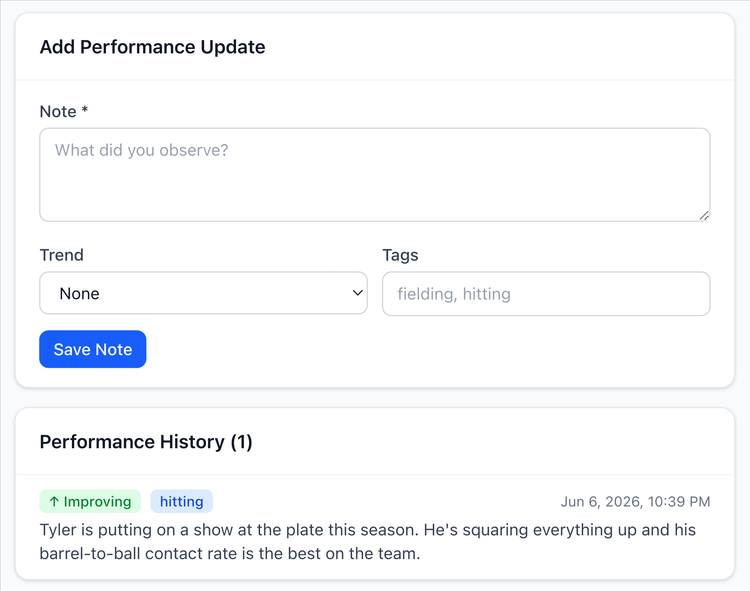
Organization rules handle consistency and fairness. Coaches handle everything else. They keep full control of skill notes, game-by-game player feedback, position preferences, and attendance. All of that feeds into the lineup algorithm to make every rotation smarter over the course of the season.
Your coaches are not just following a rigid system. They are using one that gets better as they use it, while staying within the guardrails your organization has set.
From import to opening day in minutes.
1. Create your organization
Add your players, assign their positions, and set hitting and fielding rank order. Takes about 15 minutes for a full team. Then you're set for the whole season.
You only do this once. GameCard carries your roster all season. Use it every game from there.
2. Import your data
Add each game with the date, number of innings, and which players are attending. Import your whole season from a calendar link so you don't have to enter games one by one.
When a player can't make it, uncheck them from the game. The rotation rebuilds around who's there in seconds.
3. Set your fairness rules
GameCard instantly generates the fielding rotation and batting order. No math. No spreadsheet. Drag to adjust anything you want, or use it exactly as generated.
The whole thing takes under a minute. You get back to the rest of your day.
4. Connect your schedule
Print a clean, one-page game card for the dugout: fielding grid and batting order, ready to hand to the scorekeeper before first pitch.
Or skip the print and use In-Game Mode on your phone. Either way, you show up prepared.
Your coaches get the tools they actually need.
Fair Lineups in Under a Minute
Coaches check off who is coming to the game, tap generate, and have a complete inning-by-inning rotation ready to go. The algorithm applies your organization's fairness rules automatically. No spreadsheet, no mental math, no complaints from parents.
Automatic Parent Reminders
Parents receive game and practice reminders without any action from the coach. They see the schedule, the location, the opponent, and any notes the coach adds. The questions stop. The group chat quiets down.
In-Game Mode for Game Day
In-Game Mode for Game Day | During the game, coaches use In-Game Mode to track the live batting order, see who is up next, and note who made the last out. Printable game cards are ready before they leave the house.
Questions about GameCard for organizations.
Yes. GameCard supports baseball, softball, and soccer under the same organization account. Spring baseball leagues and fall soccer leagues can both be managed from the same place, with sport-appropriate settings for each.
More sports coming!

Get your whole organization set up before opening day.
Import your leagues, connect your schedule, set your rules, and let every coach hit the ground running. GameCard handles the setup so your administrators and coaches can focus on the season.